
WiiM Ultra Explained: HDMI ARC, Phono, USB, Headphones, and the AirPlay Limitation
A specification-based guide to WiiM Ultra, covering its touchscreen, HDMI ARC, phono input, USB, headphone output, room correction, and lack of AirPlay 2.
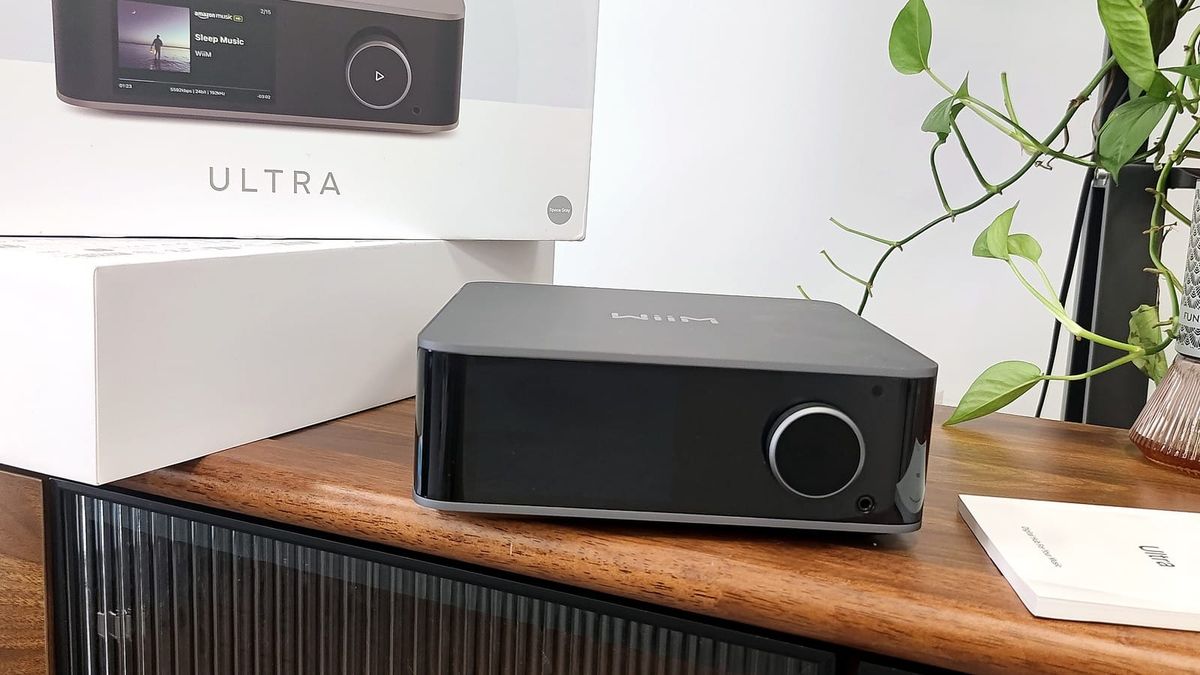
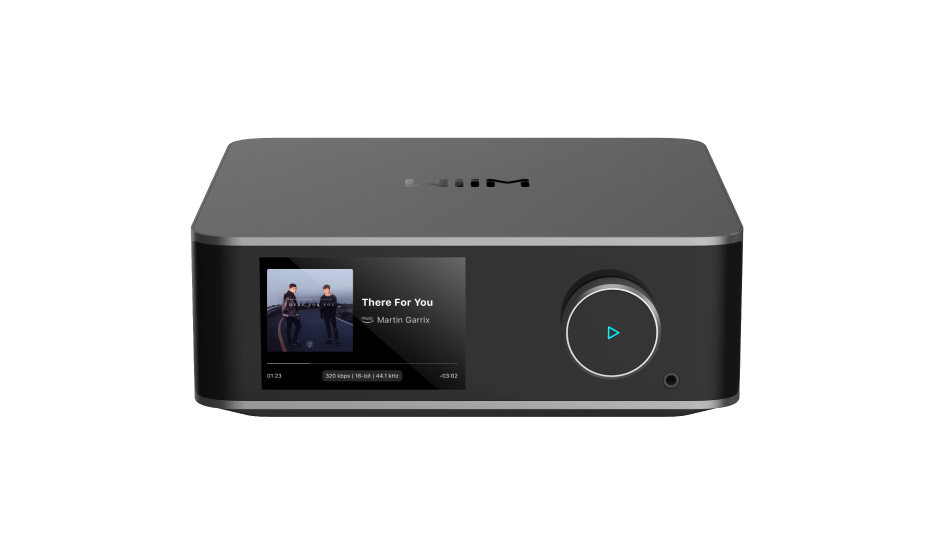
WiiM Ultra is a network streamer, DAC, digital preamplifier, TV-audio hub, phono-capable input centre, and headphone source. It expands beyond the WiiM Pro Plus with a touchscreen, HDMI ARC, USB storage and audio output, phono input, subwoofer management, and a headphone amplifier. One critical limitation is easy to miss: WiiM’s current comparison table lists no AirPlay 2 support for the Ultra.
Editorial status: specification-based product guide, not a hands-on review. Capabilities are checked against current WiiM documentation and may evolve through firmware.
Core architecture
The Ultra uses an ESS ES9038Q2M DAC and a TPA6120A2 headphone amplifier. WiiM documents line-output performance of 121 dB SNR and -116 dB THD+N under its test conditions. These are manufacturer figures, not independent SoundPath Lab measurements.
A 3.5-inch touchscreen shows album art, playback controls, queues, presets, EQ, input and output selection, and device settings. A physical knob handles volume and play/pause.
Inputs
- HDMI ARC: receives television audio and supports control integration. WiiM documents PCM and Dolby Digital 5.1 handling; verify the TV output setting.
- Optical input: stereo digital input up to the documented PCM rate.
- RCA line input: for external analogue sources.
- Phono input: for compatible turntables without a separate phono stage.
- USB storage: for local file playback from a connected drive.
- Network and Bluetooth: Wi-Fi 6, Ethernet, and Bluetooth 5.3 according to current documentation.
Outputs
The Ultra provides RCA line output, optical and coaxial digital outputs, USB audio output, a dedicated headphone output, and subwoofer output. This makes it substantially more flexible than screen-free streamers when the system combines a TV, turntable, external DAC, headphones, and a powered subwoofer.
Streaming support—and no AirPlay 2
WiiM lists Spotify Connect, TIDAL Connect, Google Cast, DLNA, Roon Ready, Linkplay streaming, and app-integrated services. The official comparison table marks AirPlay 2 as unavailable on WiiM Ultra, while WiiM Pro and Pro Plus include it. Apple users should not assume that every WiiM product is an AirPlay receiver.
If AirPlay 2 is essential, consider a supported WiiM model or a separate AirPlay receiver. Apple Music may still be accessed through other supported routes where available, but that is not the same as system-wide AirPlay from an iPhone or Mac.
DSP, room correction, and bass management
The WiiM platform offers EQ and room-correction tools, while the Ultra adds practical subwoofer integration. Crossover, level, phase, channel balance, and room correction can be more important to real-world sound than small differences between competent DACs. Processing may change the digital samples or rate; that is expected when DSP is active.
TV and two-channel use
HDMI ARC lets the Ultra act as a stereo television hub. It is not a full multichannel AV receiver and does not power passive speakers. Connect its line output to an amplifier or active speakers, or connect digital output to an external DAC. For a passive-speaker system, a separate power or integrated amplifier remains necessary.
Who should buy it
- Listeners combining streaming, TV, turntable, headphones, and subwoofer in one two-channel system.
- Users who value a front-panel display and direct input/output control.
- External-DAC users who need optical, coaxial, or USB output.
- Systems needing room correction and bass management.
Who should look elsewhere
- Anyone who requires AirPlay 2 reception.
- Users who need an amplifier for passive speakers in the same chassis.
- Full surround-sound systems needing multichannel decoding and speaker amplification.
- Minimal systems that only require one digital streaming output.
Bottom line
WiiM Ultra is best understood as a versatile stereo control centre, not merely a better Pro Plus. HDMI ARC, phono, USB, headphones, screen, and subwoofer integration justify it when those functions replace separate boxes. If the system only needs a network transport—or if AirPlay 2 is mandatory—the Ultra may be the wrong choice despite its broader hardware.
Primary source: WiiM Ultra official overview and comparison table, checked August 2026.
Evidence & verification
Evidence basis: Official WiiM Ultra specifications and feature documentation, with editorial explanation of connection choices and known platform limits. This is not a hands-on or measurement review.
Firmware and versions reviewed: Capabilities and the AirPlay limitation documented as available on August 7, 2026. No exact shipping firmware or WiiM Home app build was independently captured.
Last checked: August 7, 2026.
Limitations: HDMI ARC behavior, USB storage, phono performance, headphone output and service integrations can depend on firmware, television, storage format, region and connected equipment. Those combinations were not exhaustively tested.
Commercial disclosure: No paid placement or sample determined this guide. Any retailer or affiliate link will be labeled and will not change the conclusion. Full disclosure: https://www.soundpathlab.com/disclosure-funding/
Primary source: https://www.wiimhome.com/wiimultra/overview
Related reading: https://www.soundpathlab.com/tag/buying-guides/ | https://www.soundpathlab.com/hdmi-arc-vs-optical-audio-which-connection-is-better-for-tv-sound/ | https://www.soundpathlab.com/product-issues-limitations/
Where to buy
Seller and warranty coverage vary by country. Verify stock, seller identity, and local warranty before ordering.
Decision checkpoint
Choose WiiM Ultra if HDMI ARC, phono input, USB, headphones, subwoofer control or a front display removes another box from the system.
Choose another streamer if AirPlay 2 reception is mandatory, or the system only needs a simple network transport.
Choose neither if the current streamer, DAC and TV connection already cover the required services and inputs reliably.
Keep existing gear if the only expected change is a newer DAC specification or display; those alone do not establish a useful system upgrade.
Upgrade only if one of the Ultra's added roles solves a specific connection, control or bass-management limitation.
Evidence boundary: this decision guidance is derived from the documented feature set. HDMI ARC behavior, phono performance, USB compatibility, headphone output and service integrations remain dependent on firmware and connected equipment unless separately tested.
Continue the research
Move from this article to a verified product decision
Use descriptive links to move between product records, brand evidence, comparisons, setup or issue guidance, and compatible-system tools. Inclusion reflects subject relevance, not a score or endorsement; product facts, recommendation eligibility, and commercial links remain separate.
Product page
Verify the exact model
Brand center
Check the wider platform
Related comparison
Compare the system role
Setup, firmware & problems
Check behavior before buying
System Builder & compatibility