Wi-Fi or Ethernet for a Network Streamer? A Practical Stability Guide
Choose Wi-Fi or Ethernet for a network streamer, diagnose dropouts and discovery problems, and build a more reliable multi-room audio system.
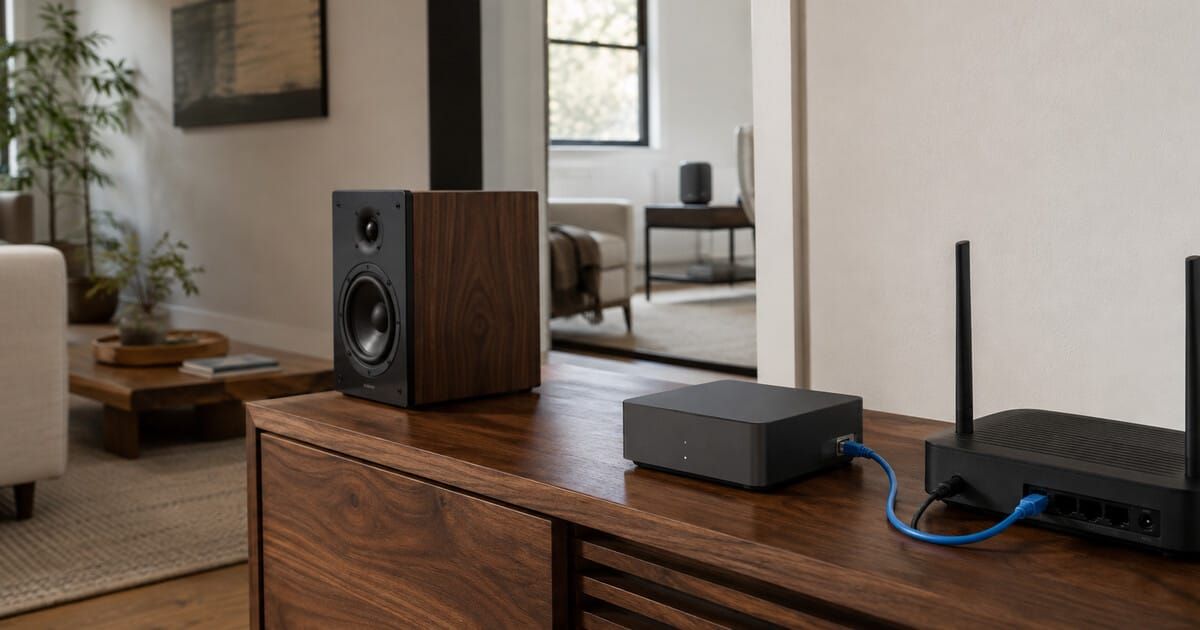
Ethernet is usually the most predictable connection for a stationary network player, but good Wi-Fi is entirely capable of reliable music streaming. The right choice depends less on “sound quality” than on coverage, interference, discovery and how many rooms are playing at once.
The short answer
Use Ethernet when practical
Choose a wired connection for a stationary streamer near the router or a switch, a music server or NAS, and heavily used multi-room zones. It removes one radio link from the chain and makes troubleshooting more repeatable.
Use Wi-Fi when it is genuinely strong
Wi-Fi is appropriate when the player has a stable signal, placement would make cabling awkward, and playback remains reliable during busy household use. A single room does not need Ethernet merely because it plays high-resolution files.
The best mixed system is often a wired backbone with wireless endpoints: wire the router, switches, music server and easy-to-reach players; leave portable or awkwardly placed speakers on Wi-Fi. Google explicitly supports speaker groups that mix 2.4 GHz, 5 GHz and Ethernet, provided the devices remain on the same network and client isolation or multicast blocking is not getting in the way.
Ethernet does not automatically sound better
A network link moves data to a streamer; it does not replace the streamer’s DAC, clocking, analogue output stage or amplifier. If both Wi-Fi and Ethernet deliver the intended stream without loss, underruns or a device-specific mode change, a blanket promise of better sound from the cable is not justified.
What Ethernet can improve is reliability. A weak or congested wireless link may cause buffering, clicks, pauses, reduced responsiveness or a player disappearing from its control app. Roon’s documentation likewise describes inadequate servers or network links producing clicks, pops, dropouts or static when an output is not fed in time.
Editorial inference Ethernet’s normal benefit in a home-audio system is fewer network variables, not a universal tonal change. A device-specific difference is still possible if the manufacturer limits formats by interface or implements the two paths differently; Roon’s Devialet AIR documentation, for example, identifies Ethernet-only capabilities for that particular integration.
Audio bandwidth is smaller than many people assume
Uncompressed stereo PCM at 24-bit/192 kHz is about 9.2 megabits per second before protocol overhead: 24 × 192,000 × 2. CD-quality PCM is about 1.4 Mb/s. Losslessly compressed music can require less. These figures are far below the nominal speed of ordinary 100 Mb/s Ethernet and modern Wi-Fi.
The trap is that a speed label is not the same as dependable delivery. Wireless airtime is shared, signal quality changes with position, retransmissions consume time and a mesh node may use radio capacity for both backhaul and the player. For audio, consistency and correct local-network discovery are usually more important than a spectacular internet speed-test result beside the router.
When Ethernet is the sensible default
A server, NAS or main library machine
Wire the device that must feed every zone whenever possible. Roon’s current networking guidance says its server and network storage should use wired connections. This is a conservative topology: one stable source can serve Wi-Fi endpoints without making the library traffic cross the air twice.
Several simultaneous rooms
WiiM says there is no fixed product-count limit, but capacity depends on the home network. Its January 2026 support guidance recommends Ethernet where possible and particularly for multi-room systems with several devices. That is consistent with Roon’s recommendation to wire high-demand parts of the system and with Sonos advising a wired arrangement when home Wi-Fi is slow, unreliable or incomplete.
A player inside a cabinet or beside interference
Metalwork, televisions, power supplies and the equipment rack itself can make an otherwise good Wi-Fi room a poor location for a small streamer. If a short cable reaches a nearby switch, Ethernet is usually easier than trying to optimize an antenna inside a crowded cabinet.
Repeated dropouts that follow one player
A temporary cable is one of the most useful tests in network audio. If the player becomes stable on Ethernet while the service, app and rest of the system remain unchanged, the evidence points toward its wireless path or coverage. If the fault remains, the cause probably lies elsewhere.
When Wi-Fi is the right answer
Wi-Fi is not a fallback technology. Sonos explicitly recommends a wireless setup when strong Wi-Fi covers every intended room. Bluesound supports both connection types and exposes signal strength and dBm readings in its diagnostics. A clean wireless installation avoids unnecessary cabling and keeps portable speakers portable.
Use Wi-Fi confidently when:
- The player reports a consistently strong signal at its final location.
- Music remains stable while other household devices are active.
- The controller and player reliably discover one another after sleep and restart.
- Stereo pairs or groups stay synchronized during long listening sessions.
- The router or mesh provides real coverage in that room—not merely a high speed beside another access point.
Experience-based recommendation Do not choose 2.4 GHz or 5 GHz from the band name alone. Test the player at its actual position. A strong 2.4 GHz link through walls may be more reliable than a weak 5 GHz link; a clean nearby 5 GHz channel may outperform a crowded 2.4 GHz channel. Product radio support and router steering also vary.
Discovery problems are not the same as slow internet
A streamer can play an internet preset yet fail to appear in an app. That looks contradictory only if discovery and playback are treated as the same task.
Control systems often use local multicast or discovery services to find players. Apple explains that Bonjour advertises services with multicast traffic and that multicast normally does not cross subnets. Google requires grouped speakers to be on the same network and warns that AP/client isolation or disabled multicast forwarding can prevent grouping across wired and wireless segments.
Verified fact A wired player and a Wi-Fi phone can control each other when they are on the same functioning local network. “Same network” does not require the same radio band, but guest-network isolation, separate VLANs, a second router or blocked multicast can stop discovery even when both devices reach the internet.
The common double-router problem
If an internet-provider gateway and a second Wi-Fi router are both routing, the phone may sit on one LAN while the streamer sits on another. Both show internet access, but local discovery may not cross the boundary. Mesh nodes operating in router mode can create the same symptom when added behind an existing router.
Before changing advanced settings, check whether there is one primary router, whether the controller and player receive addresses in the same LAN, and whether a guest or IoT isolation feature is enabled. Do not expose devices to the public internet or place a server in a router’s DMZ to solve a local discovery issue.
Mesh, extenders and wireless backhaul
A mesh can extend coverage without forcing every endpoint onto a weak distant router. Roon distinguishes mesh systems from basic range extenders and notes that Ethernet-connected mesh nodes behave like a traditional router-plus-access-point design. When nodes use wireless backhaul, the chance of Wi-Fi-related problems increases.
That does not make wireless mesh unsuitable. It means node placement and backhaul quality matter. A player plugged into the Ethernet socket of a wireless mesh satellite is not fully wired back to the router—the final hop still crosses the wireless backhaul.
Editorial inference Treat a mesh-satellite Ethernet port as a useful endpoint connection, not proof of an end-to-end cable path. It can improve the player’s local radio situation while leaving backhaul congestion as a possible bottleneck.
Powerline networking
Bluesound lists powerline adapters as one option when dropouts persist, but household electrical wiring, circuit layout and electrical noise make results installation-specific. Test before relying on powerline for several synchronized rooms. It should not be assumed equivalent to a direct Ethernet run.
If adding a wired connection produces audible hum through an analogue system, do not defeat protective earth. Return to the previous safe layout and use How to Diagnose Hum and Buzz in a Home Audio System.
A ten-minute test before you run cable
- Define the symptom. Note whether the problem is a playback dropout, slow command, missing player, failed group, internet-service error or local-file problem.
- Check scope. Is one player affected, one room, one service or the entire network? Test a different source without changing the connection.
- Confirm the controller’s network. Turn off cellular data temporarily if necessary and verify the phone is not on a guest SSID or VPN that isolates local devices.
- Use the product’s diagnostics. Record connection type, Wi-Fi signal, IP address and firmware version where the app exposes them. Bluesound’s official diagnostics is one example.
- Restart only the affected layer. Begin with the app and player. Restart the router only if several devices are affected; a full network restart erases useful evidence.
- Move or temporarily wire the player. A long test cable across the floor is acceptable for diagnosis, but secure it so it is not a trip hazard. Keep every other variable unchanged.
- Repeat the demanding case. Test the same multi-room group, high-resolution local file or busy evening period that exposed the problem.
- Interpret the result. If Ethernet fixes it consistently, improve Wi-Fi coverage or keep that zone wired. If not, investigate discovery, service, server, firmware or the audio chain.
Symptom-to-cause guide
| Symptom | More likely cause | Best first test |
|---|---|---|
| One room drops out; others continue | Coverage, interference or that player | Temporary Ethernet or move the player nearer the access point |
| Every room stops at once | Router, internet service, source service or server | Compare local playback with a second streaming service |
| Player has internet but app cannot find it | Different subnet, guest isolation, multicast or controller VPN | Place phone and player on the same primary LAN |
| Single room is fine; group playback fails | Wireless airtime, backhaul or multicast/group configuration | Reduce the group, then wire one high-traffic endpoint |
| Dropouts only with local high-resolution files | Server/NAS link, storage performance or endpoint path | Wire the server and test a lower-rate file |
| Commands lag but audio continues | Controller discovery, app state or network latency | Reopen the app and verify the controller’s LAN/VPN state |
| Problem survives Ethernet | Not primarily the player’s Wi-Fi link | Check firmware, server, service status and source path |
What Ethernet will not fix
- An internet outage, DNS failure or music-service outage.
- A controller and player separated by guest isolation, VLAN rules or a second router.
- A slow or sleeping NAS, overloaded music server or failing storage drive.
- Firmware bugs, account authorization failures or an unsupported format.
- Clicks caused by the digital/analogue output chain rather than network delivery.
- Incorrect fixed/variable output settings; use the safe volume-control guide for that problem.
For systems that combine television and network music, Three Clean TV + Music Stereo Architectures separates the network path from HDMI ARC and analogue control. Use the Product Database to check whether a specific player actually has Ethernet, then map the entire chain with the System Builder. More permanent setup and troubleshooting articles are available from the Learn hub.
A practical network-audio checklist
- One primary router serves the home LAN.
- Controllers and players are not separated by guest or client isolation.
- The server and NAS are wired where practical.
- Stationary players with easy cable access use Ethernet.
- Wireless players show strong signal at their final locations.
- Mesh nodes have good backhaul; wired backhaul is used where possible.
- Multicast forwarding works between wired, 2.4 GHz and 5 GHz clients.
- Firmware and controller apps are current before deeper troubleshooting.
- Changes are tested one at a time and recorded.
What is verified, inferred and experience-based
Verified fact The cited manufacturers support both wired and wireless network-audio arrangements, with model-specific exceptions. WiiM, Roon, Sonos and Apple recommend Ethernet for particular high-demand or stability-sensitive roles. Apple and Google document same-network and multicast/discovery requirements.
Editorial inference A wired backbone with selective Wi-Fi endpoints is the most broadly predictable home layout. Ethernet should be justified by stability, topology or a documented product capability—not assumed to change sound in every correctly operating streamer.
Experience-based recommendation Temporary cabling, testing at the final location, reproducing the demanding case and changing one variable at a time are diagnostic practices. Exact radio channels, signal thresholds and mesh placement depend on the home and hardware.
Applicability, limits and disclosure
Applies to: consumer network streamers, streaming amplifiers, wireless speakers, local music servers and common whole-home audio systems worldwide. The topology principles are region-independent.
Version and regional limits: router menus, radio bands, allowed Wi-Fi channels, firmware features and product Ethernet support vary by country and model. WiiM’s cited device-count article was modified on 3 January 2026; Apple’s cited AirPlay-audio page shows a 5 May 2026 publication date in the UK locale; Bluesound’s connection-status page was updated on 5 September 2024. Product and support pages were checked on 24 August 2026.
Not covered: enterprise VLAN design, managed-switch spanning-tree configuration, commercial audio-over-IP systems, Roon ARC remote access, port forwarding, VPN setup, cybersecurity hardening, electrical cable installation or repair. Do not alter firewall or isolation controls without understanding the security trade-off.
Disclosure: SoundPath Lab received no payment or product from the companies cited. Brand examples document network behavior; they are not rankings or purchase recommendations. The cover is an AI-generated editorial illustration of unbranded equipment, not a test photograph.
Sources
- WiiM — How many devices can I set up in one location?: network capacity, Wi-Fi congestion and Ethernet guidance for multi-room systems.
- Roon — Networking Best Practices: wired server/storage recommendations, mesh backhaul and router-specific discovery considerations.
- Roon — Troubleshooting Eero Mesh Networks: Ethernet server connection and mesh-node placement.
- Sonos — Choose between a wireless and wired setup: official criteria and current product-specific limitations.
- Bluesound — Check Ethernet or wireless connection: diagnostics, signal reporting and wired-priority behavior.
- Bluesound — Multi-Room Tips and Tricks: Wi-Fi signal checks, placement, channel and powerline suggestions.
- Google — Network requirements for speaker groups: mixed-band/Ethernet support, client isolation and multicast forwarding.
- Apple — Use AirPlay to stream audio: same-network requirements for controllers and AirPlay speakers.
- Apple Platform Deployment — Use AirPlay with Apple devices: Bonjour multicast/subnet behavior and Ethernet recommendations.
Last checked: 24 August 2026. Recheck the exact player manual, router firmware and current platform support page before changing network topology.
Continue the research
Move from this article to a verified product decision
Use descriptive links to move between product records, brand evidence, comparisons, setup or issue guidance, and compatible-system tools. Inclusion reflects subject relevance, not a score or endorsement; product facts, recommendation eligibility, and commercial links remain separate.
Product page
Verify the exact model
Brand center
Check the wider platform
Related comparison
Compare the system role
Setup, firmware & problems
Check behavior before buying
System Builder & compatibility