How to Diagnose Hum and Buzz in a Home Audio System
A safe step-by-step method to isolate hum, buzz and ground loops in stereo, phono, subwoofer, TV and USB audio systems.
Troubleshooting · Home audio
A steady hum or harsher buzz is usually diagnosable without buying a power conditioner or replacing half the system. The useful question is not “Which accessory removes noise?” but “At which connection does the noise enter?”
First, describe the noise accurately
People use hum, buzz, hiss and whine interchangeably, but they point to different tests. A low, steady mains-related tone is commonly centred on 50 Hz or 60 Hz, depending on the local power system, often with harmonics. A buzz has more upper-frequency content. Hiss is broadband and often follows gain. A changing electronic whine can track computer activity, display refresh, a switch-mode power supply or a USB connection.
Shure’s official Noise Identifier includes a 60-cycle hum example, while Steinberg’s DeHummer documentation distinguishes 50 Hz and 60 Hz fundamentals and their harmonics. Those references support the frequency description; they do not mean that every 50/60 Hz sound is a ground loop.
| What you hear | What it suggests | Best first test |
|---|---|---|
| Low steady hum | Mains coupling, a loop between grounded devices, or a phono-ground problem | Disconnect signal inputs; then reconnect one branch at a time |
| Harsher buzz | Hum harmonics, dimmers, power supplies, poor shielding or a bad cable | Move signal cables away from power devices and swap one known-good cable |
| Hiss that rises with volume | Source/preamp gain, high-gain phono stage or normal electronics noise | Compare volume at minimum, normal and muted settings |
| Whine that changes with a computer | USB/power interaction or radiated interference | Temporarily run a laptop on battery, or test an optical link where supported |
| Noise in one channel only | One cable, connector, cartridge lead, source channel or amplifier channel | Swap left and right signal cables at one end and observe whether the noise moves |
Editorial inference: a sound’s character narrows the search, but it cannot identify the cause on its own. The system’s response to controlled disconnection is better evidence.
A safe, repeatable troubleshooting sequence
-
Protect the speakers and your hearing
Mute the system or set volume to minimum before unplugging or reconnecting an analog cable. Power amplifiers and powered speakers should be the last devices switched on and the first switched off. Do not hot-plug speaker cables.
-
Check where the noise is audible
Listen through the speakers, then through headphones connected to the same preamp, receiver or interface if available. Noise in both paths points upstream of the speaker amplifiers. Noise only from one powered speaker or amplifier channel narrows the search to that channel, its input or its local power environment.
-
Test the volume control
Note whether the noise changes as volume rises. Noise that closely follows volume is often entering before that control. Noise that stays nearly constant may be entering later, or may be self-noise from a power amplifier or active speaker. This is a useful inference, not a universal rule: product architectures differ.
-
Reduce the system to its quiet core
Disconnect all source interconnects from the amplifier, receiver or powered speakers. Leave only the speakers and the equipment’s own power connections. If there is a subwoofer, disconnect its signal cable too. Do not disconnect protective earth.
If the core is quiet, the fault is likely on a source branch. If it is still noisy, check the product manual for input-gain controls, try a different input, move low-level equipment away from power transformers and dimmers, and arrange service if the noise is abnormal at the listening seat.
-
Reconnect one complete branch at a time
Add one source and its signal cable, test, then continue. Include seemingly unrelated paths: a TV antenna or cable feed, an HDMI connection, Ethernet attached to grounded network hardware, USB to a computer, and a powered subwoofer. A loop can be completed through more than one kind of connection.
-
Change one variable, then retest
Use a short, known-good interconnect. Reseat connectors with power off. Keep low-level analog cables away from AC adapters, power strips, dimmers, motors and power-amplifier transformers. Where a crossing is unavoidable, crossing signal and power cables at roughly 90 degrees is a sensible routing practice.
-
Use the connection type the equipment actually supports
If both devices offer balanced outputs and inputs, use a correctly wired balanced connection. Rane’s interconnection note and AES48 both emphasize correct shield termination and chassis practice; Focusrite also notes that a link is balanced only when both endpoints support it. A TRS-shaped socket or an XLR adapter does not convert an unbalanced circuit into a balanced one.
Why ground loops create audible noise
Two connected devices can have more than one path between their ground references—for example, through their mains safety earth and again through an RCA shield. A small voltage difference can then drive unwanted current through the interconnect path. In an unbalanced connection, the cable shield also participates in the audio reference, so that unwanted voltage can become part of the signal.
Balanced audio sends the signal as a difference between two conductors and is designed to reject voltage common to both. Correct implementation matters. AES48 specifies how connector shields should be bonded for electromagnetic compatibility, and Rane recommends balanced lines with the cable shield connected to chassis at the point of entry. These are equipment-design and interconnection principles—not instructions to modify a product internally.
Special cases
Turntables and phono stages
Phono signals are very small and require high gain, so grounding and cable problems are conspicuous. With power off, confirm that the cartridge leads are secure, the RCA plugs are fully seated and the turntable’s ground lead is attached to the phono stage or amplifier as the manual specifies.
Do not confuse a phono SIGNAL GND terminal with protective earth. Denon states explicitly that its SIGNAL GND terminal is not a safety ground and notes that, on some combinations, connecting the lead can increase rather than reduce noise. Follow the manuals for both products.
Powered subwoofers
A subwoofer is a common place to notice hum because it has its own amplifier and a long unbalanced cable is often routed beside mains wiring. Disconnect the RCA/LFE cable at the subwoofer input. If the hum stops, test a short known-good cable and a different route before considering an audio isolation transformer designed for subwoofer bandwidth and signal level.
Computers and USB DACs
If a laptop is involved, a brief battery-power test can separate a charger/building-power interaction from the rest of the chain. This is a test, not a recommendation to modify the charger. If both devices support optical S/PDIF, optical provides galvanic isolation at that link; see our optical, coaxial and USB comparison. Check format and control limits before changing connections.
TV, cable and antenna paths
If the noise appears only when the TV or tuner is connected, remove the RF/coax feed as a test. If that breaks the hum, use an isolator specifically rated for the service and region, or ask the television/cable provider to correct the grounding issue. Do not improvise with adapters that compromise lightning or electrical protection. For TV audio routing, see our HDMI ARC vs optical guide.
Match the fix to the proven cause
| Evidence from your test | Appropriate response | What it does not prove |
|---|---|---|
| Noise follows one analog cable | Reseat it, replace it with a short known-good cable, and reroute it away from interference | That expensive cables will improve sound quality |
| Noise begins when two mains-powered devices are linked by RCA | Remove an unnecessary signal path; use balanced I/O if both ends support it; otherwise consider a correctly specified audio transformer isolator | That protective earth should be disconnected |
| Noise stops when a laptop charger is removed | Verify the approved charger and building outlet; consider an optical audio path or suitable USB isolation for the required speed/power mode | That the computer itself is faulty |
| Only phono hums | Check cartridge leads, RCA continuity, phono-ground arrangement and MM/MC compatibility | That the amplifier needs more power |
| Core system hums with no inputs attached | Check gain, placement and the manufacturer’s support guidance; test each powered speaker/channel; arrange service if abnormal | That a source cable or streamer is responsible |
When an isolator is appropriate
A transformer isolator can break the conductive signal-ground path while passing audio. Jensen publishes purpose-built RCA, 3.5 mm, balanced-line and subwoofer isolators; Focusrite also lists transformer isolation as an option when the loop source cannot otherwise be removed. That supports the method, but it does not endorse every low-cost device sold as a “ground-loop isolator.”
Check connector type, input and output impedance, maximum signal level, low-frequency response and insertion loss. A transformer intended for a phone output may be a poor match for a subwoofer. An isolator belongs in the audio signal path; it is not a substitute for protective earthing or safe building wiring.
What not to do
- Do not lift mains safety earth. A quiet system is not worth removing a fault-current path.
- Do not connect random chassis points with loose wire. Product-specific signal-ground posts are different from protective earth.
- Do not assume all noise is a ground loop. High gain, a damaged cable, a failing power supply, radiated interference or normal self-noise can sound similar.
- Do not change several components at once. You will lose the evidence that identifies the cause.
- Do not buy a power accessory before the isolation test. Surge protection, filtering, voltage regulation and galvanic isolation solve different problems.
A five-minute field checklist
- Mute or turn volume to minimum.
- Inspect plugs, cords and outlets; stop if anything is damaged, hot, sparking or shocking.
- Disconnect every source and the subwoofer signal cable.
- Listen to the amplifier/speaker core.
- Reconnect one branch at a time.
- On the noisy branch, substitute one short known-good signal cable.
- Move the cable away from power supplies, dimmers and mains wiring.
- Use balanced connections only where both endpoints support them.
- For phono, follow both manuals for the signal-ground lead.
- If the cause is a proven loop that cannot be removed, specify an audio transformer isolator for that exact connection.
Applicability, limits and evidence labels
Applies to: consumer stereo systems, powered speakers, subwoofers, phono systems, desktop USB audio and mixed TV/music systems worldwide. Mains frequency, plug design, electrical code and service-provider rules vary by country. Product firmware is rarely the primary variable in steady analog hum, but a device’s input mode, gain or routing can still change the symptom.
Does not cover: internal equipment repair, building-wiring diagnosis, live-sound power distribution, automotive audio, lightning protection or medical/assistive audio. Work on mains wiring belongs to a qualified electrician under local rules.
Verified facts in this guide come from the standards, manufacturer documents and safety organizations listed below. Editorial inferences are the conclusions drawn from whether noise changes with volume, channel swaps or disconnection. Experience-based recommendations include testing one variable at a time, using a short known-good cable and routing low-level analog cables away from power devices; these are low-risk methods, not guarantees.
Sources
- Audio Engineering Society — AES48 project status. Scope: connector-shield grounding and EMC practices for active audio equipment; current review status checked 18 August 2026.
- Rane Technical Staff — Sound System Interconnection, RaneNote 110. Balanced/unbalanced wiring, shield termination and transformer isolation; last revised November 2015.
- Focusrite — Why is there unwanted hum/noise in my monitors?. Ground-loop explanation, balanced links, cable routing and one-device-at-a-time isolation; updated 27 February 2024.
- Shure — Noise Identifier. Manufacturer audio examples, including 60-cycle hum.
- Denon PMA-1700NE manual — Connecting a playback device. Distinction between SIGNAL GND and safety ground, plus model-specific phono guidance.
- US Occupational Safety and Health Administration — Electrical incidents. Protective-ground continuity and the instruction not to remove ground prongs.
- Electrical Safety Foundation International — Extension cord safety tips. Consumer warning against cutting off a ground pin.
- Jensen Transformers — CI-2RR line isolator and SUB-1RR subwoofer isolator. Manufacturer specifications illustrating that isolators must be matched to signal type and bandwidth.
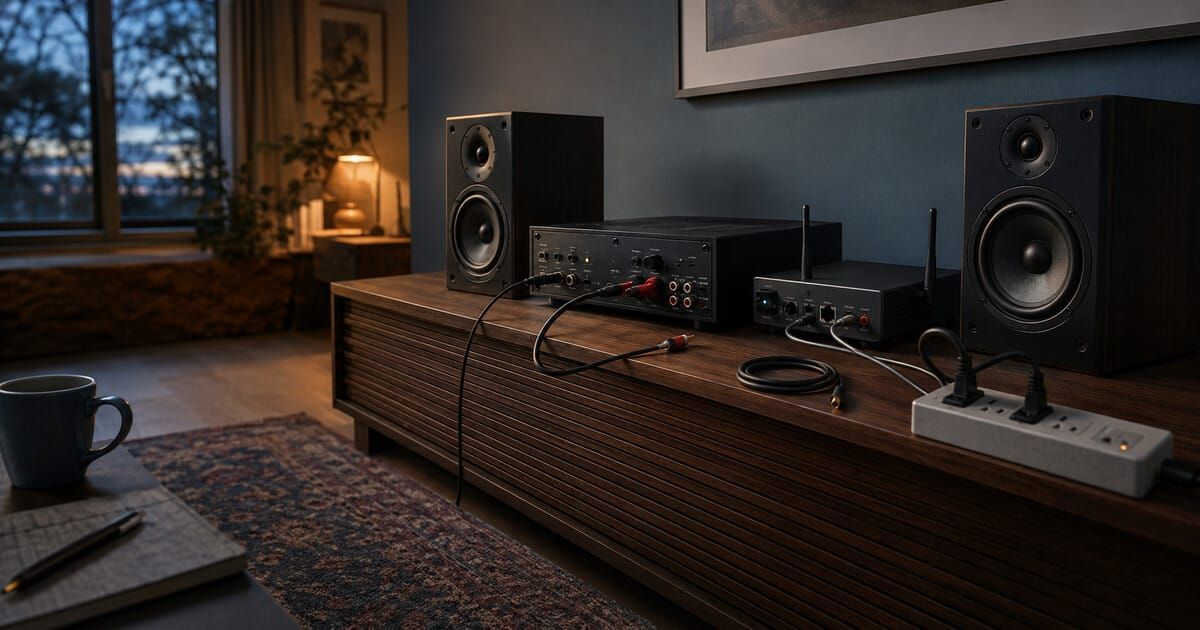
Disclosure: SoundPath Lab has no stated commercial relationship with the organizations or products cited in this article. Product pages are used as primary technical examples, not endorsements. No affiliate links are included. Cover image is an original AI-generated editorial illustration; it does not depict a specific commercial product or a tested installation.
Continue the research
Move from this article to a verified product decision
Use descriptive links to move between product records, brand evidence, comparisons, setup or issue guidance, and compatible-system tools. Inclusion reflects subject relevance, not a score or endorsement; product facts, recommendation eligibility, and commercial links remain separate.
Product page
Verify the exact model
Brand center
Check the wider platform
Related comparison
Compare the system role
Setup, firmware & problems
Check behavior before buying
System Builder & compatibility