TV + Music Stereo: Three Clean System Architectures That Avoid Unnecessary Boxes
Three clean ways to combine TV sound and music streaming without adding unnecessary converters, preamps or switches.
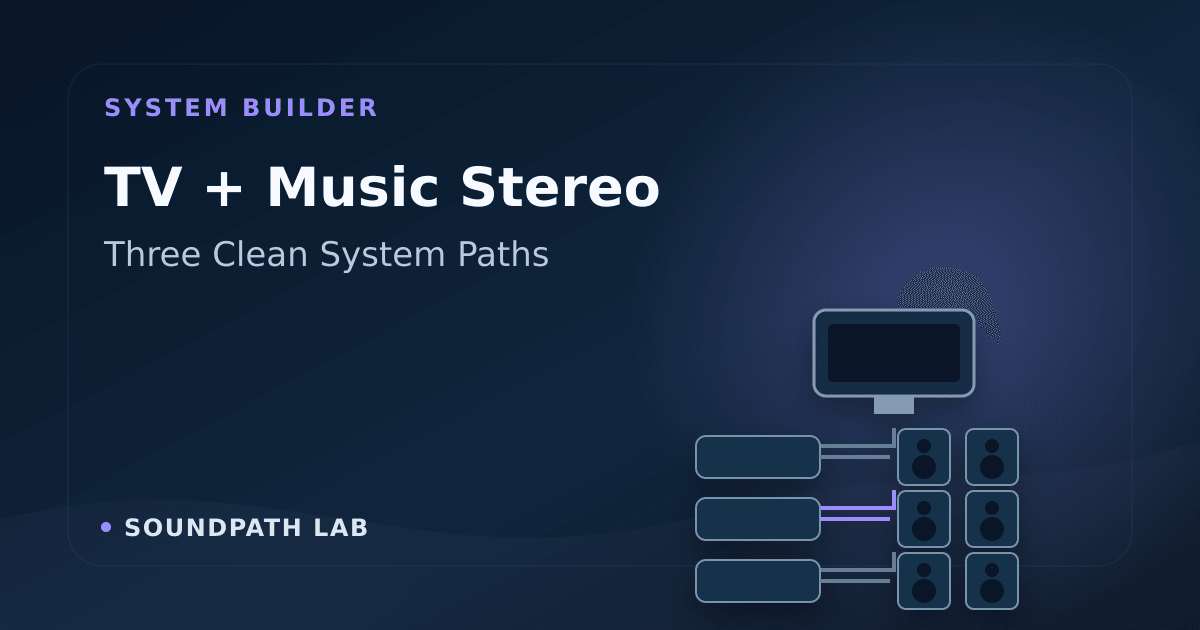
A television-and-music stereo does not need to become a pile of boxes. Most rooms can use one of three clean architectures:
- keep an existing amplifier and add a streaming hub;
- replace the source and amplifier with one streaming amplifier;
- use active speakers with the correct control input.
The best route is the one that preserves useful equipment, gives the TV a reliable volume path and leaves at least one wired fallback if a streaming service changes.
Architecture 1: keep the amplifier you already own
Signal path: TV HDMI ARC → streaming preamplifier/hub → existing amplifier → passive speakers
This is the minimum-change solution when the amplifier and speakers already work well. A hub such as WiiM Ultra can receive TV audio through HDMI ARC, add network streaming and provide variable analogue output to a conventional amplifier or power amplifier.
Choose this architecture when:
- the existing amplifier has a suitable line input or power-amplifier input;
- you want to keep its sound, controls or phono section;
- the system needs streaming, HDMI ARC, subwoofer management or room correction without replacing amplification.
Check the volume arrangement carefully. If the hub provides variable output into an integrated amplifier, two volume controls are in series. Set a safe reference level on the amplifier and use one everyday control, or use a true power-amplifier input where the design permits it. Never assume a fixed output is safe for a power amplifier.
Best feature: preserves good hardware.
Main risk: duplicated volume control and more cables.
Architecture 2: use one streaming amplifier
Signal path: TV HDMI ARC → streaming amplifier → passive speakers, with optional powered subwoofer
This is the cleanest general-purpose path for a living room. WiiM Amp and WiiM Amp Ultra are examples of the category: the streamer, DAC, volume control, HDMI ARC input and speaker amplification live in one component.
Choose this architecture when:
- you are starting from passive speakers or replacing an old receiver;
- one remote and a small equipment footprint matter;
- you want room correction, EQ or subwoofer control in the same interface;
- the speakers' impedance and sensitivity are a safe match for the amplifier.
The “one-box” label does not remove matching work. Check the speaker's minimum impedance, sensitivity, listening distance and desired level. A power figure quoted at 4 ohms cannot be compared directly with another quoted at 8 ohms.
Best feature: simplest daily operation with passive speakers.
Main risk: streaming platform and amplification age together.
Architecture 3: use active speakers
Signal path A: TV HDMI ARC/optical → active streaming speakers
Signal path B: TV HDMI ARC → streaming hub with variable output → powered or active speakers
An integrated system such as KEF LSX II LT accepts HDMI ARC and USB-C, while other active monitors may accept only analogue or balanced line input. The exact input set determines whether a separate hub is required.
Choose this architecture when:
- the room is small or the speakers sit near the listening position;
- you want minimal equipment furniture;
- manufacturer-matched amplification and DSP are more important than component swapping;
- both speakers can reach mains power cleanly.
If a separate hub feeds active speakers, confirm that its output is variable and begin at minimum volume. Balanced XLR output is useful for long runs and some studio monitors, but a balanced connector is not automatically better for a short domestic installation.
Best feature: compact, controlled integration.
Main risk: a failed amplifier or obsolete platform can affect the whole speaker system.
Quick decision table
| Your starting point | Use this architecture | Buy only what is missing |
|---|---|---|
| Good amplifier and passive speakers | Streaming hub | HDMI/network hub, required interconnects |
| Passive speakers but no suitable amplifier | Streaming amplifier | One amplifier/streamer, speaker cable |
| No system and a small room | Active speakers | Integrated pair, stands if needed |
| Active monitors already owned | Variable-output hub | Safe controller/streamer and correct cables |
| Long ownership and modular upgrades matter | Passive speakers + separate hub/amplifier | Keep software-dependent layer replaceable |
Four checks before buying
1. HDMI ARC is a control path as well as an audio path
ARC can carry TV audio back to the stereo and HDMI-CEC can coordinate volume and power. Real behavior still depends on both devices. Confirm the TV can output a format the stereo accepts—often PCM stereo—and test lip sync, wake behavior and remote volume during the return period.
Do not pay for eARC merely because it is newer if the target is two-channel PCM and ARC already meets the requirement.
2. A subwoofer output is not always full bass management
Some products provide a variable sub output but continue sending full-range audio to the main speakers. Others can apply a high-pass filter to the mains and a low-pass filter to the subwoofer. Those are different capabilities.
If a small speaker needs relief from deep bass, verify high-pass behavior rather than assuming that the presence of an RCA socket solves the crossover. Then follow the stereo subwoofer setup guide.
3. Keep a wired fallback
Network services and apps change. HDMI, optical, USB or analogue input can preserve useful hardware after a service disappears. One reliable fallback is more valuable than a long list of cloud services you do not use.
4. Fix placement before adding electronics
Speaker distance, symmetry, wall clearance, tweeter height and listening position can produce a larger change than replacing a competent DAC. Use the speaker placement process before buying correction hardware.
Example components—not a ranking
- WiiM Ultra: a streaming hub for an existing amplifier or active-speaker system.
- WiiM Amp: a compact streaming amplifier for passive speakers.
- WiiM Amp Ultra: a higher-power all-in-one streaming-amplifier path.
- KEF LSX II LT: an integrated active-speaker example with HDMI ARC and USB-C inputs.
Retail availability:
- WiiM Ultra from EMiUZEK (Listing unavailable)
- WiiM Amp from EMiUZEK (Listing unavailable)
- WiiM Amp Ultra from EMiUZEK (Listing unavailable)
- WiiM Amp on Amazon
Build the system in this order
- Choose the speaker type and place it correctly.
- Confirm the amplifier can drive the passive speaker, if used.
- Choose the TV connection and supported audio format.
- Add only the streaming protocols and physical inputs you use.
- Confirm volume safety and remote behavior.
- Add a subwoofer after the main system is stable.
- Run EQ or room correction last, and save a bypass comparison.
For model-level recommendations, use the SoundPath Lab System Builder or open the TV two-channel scenario guide.
Evidence & verification
Evidence basis: Official product pages for the example components, HDMI/connection behavior described at an architectural level, and SoundPath Lab's published compatibility rules. This is a reference design, not a controlled listening comparison.
Last checked: August 17, 2026.
Limitations: HDMI-CEC behavior varies by television, firmware and region. Speaker and amplifier compatibility requires exact model data. The examples are starting points, not universal recommendations.
Commercial disclosure: Retail links are provided for convenience. No retailer or manufacturer determined inclusion, ranking or the architecture recommendation, and SoundPath Lab received no fee for the editorial conclusions stated here. See the Disclosure & Funding policy.
Before choosing the TV-facing hub, check the verified TV-input and format matrix.
Continue the research
Move from this article to a verified product decision
Use descriptive links to move between product records, brand evidence, comparisons, setup or issue guidance, and compatible-system tools. Inclusion reflects subject relevance, not a score or endorsement; product facts, recommendation eligibility, and commercial links remain separate.
Product page
Verify the exact model
Brand center
Check the wider platform
Related comparison
Compare the system role
Setup, firmware & problems
Check behavior before buying
System Builder & compatibility