
Multi-Room Audio Explained: AirPlay 2, Chromecast, and App-Based Systems
A platform-first guide to planning reliable multi-room audio with AirPlay 2, Google Cast, app-based ecosystems, and traditional distribution amplifiers.
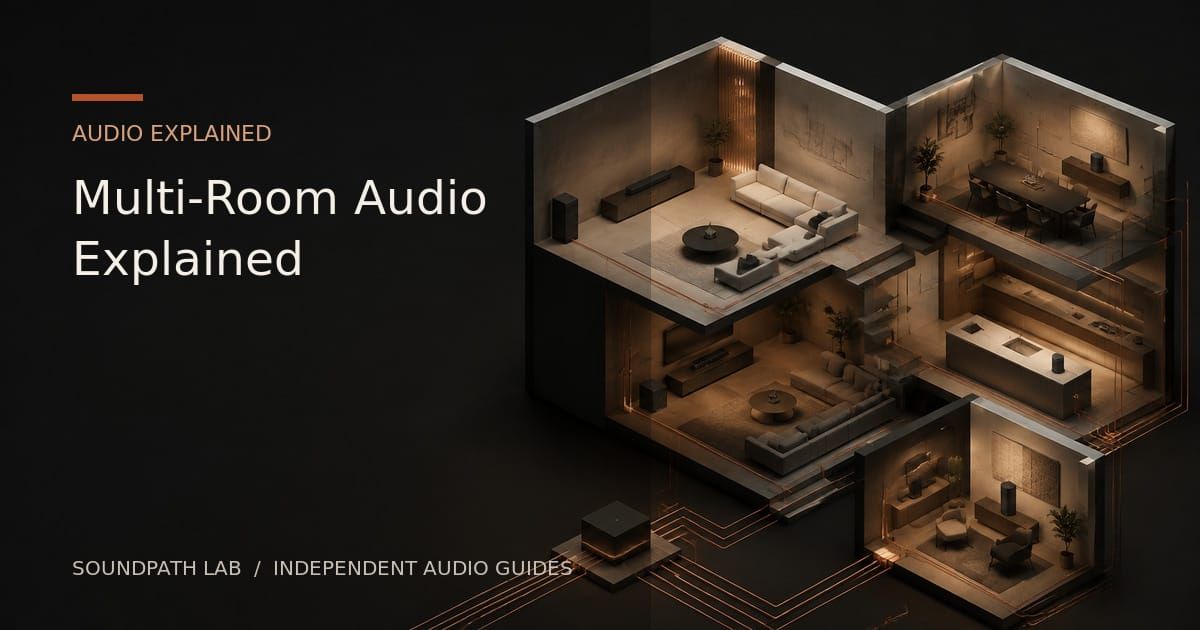
Multi-room audio lets music play in more than one room, either independently or as a synchronized group. The idea sounds simple, but successful systems depend on three separate layers: the network, the playback platform, and the audio hardware in each zone.
Many problems begin when buyers focus only on amplifier power or speaker count. A traditional multi-zone amplifier can distribute sound, but it does not automatically provide independent sources, app control, synchronized wireless playback, or an easy way for different users to choose music.
WHAT COUNTS AS A ZONE?
A zone is one independently controlled listening area. A living room and kitchen can be two zones even if they sometimes play the same music. A café may use separate zones for the main seating area, private rooms, terrace, and entrance.
Each zone needs a playback endpoint. That endpoint might be a smart speaker, a network streamer connected to an amplifier, a streaming amplifier driving passive speakers, or a network-enabled active speaker.
Synchronized playback requires endpoints that share a compatible multi-room platform. Two devices having Wi-Fi does not mean they can automatically form a synchronized group.
AIRPLAY 2
AirPlay 2 is Apple’s multi-room casting system. An iPhone, iPad, Mac, Apple TV, or compatible app can select one or more AirPlay 2 receivers and control playback across them.
Its main strength is integration with Apple devices and the ability to combine products from different brands when all of them correctly support AirPlay 2. It is convenient for homes where most users already rely on iOS or macOS.
The limitations are equally important. Android support is weak, implementation quality varies, and not every product that supports original AirPlay supports AirPlay 2 multi-room grouping. Service behavior and maximum audio format can depend on the sending device and app.
CHROMECAST BUILT-IN AND GOOGLE CAST
Google Cast lets compatible apps send playback to Chromecast-enabled speakers, streamers, televisions, and other endpoints. Groups can be created within Google’s ecosystem, and playback is often initiated from the music service’s own app.
This can be a strong option for Android-centered households and services with good Cast support. As with AirPlay, confirm the exact product capability: a device may support Chromecast for audio without supporting every grouping, format, or control feature a buyer expects.
Changes in platform policies or device certification can also affect long-term compatibility, so current support should be verified before building a large system.
APP-BASED MULTI-ROOM PLATFORMS
Many audio products use a manufacturer app or a shared technology platform to discover devices, assign room names, create groups, select sources, and manage volume. Systems built around technologies such as Linkplay may appear under different brand-specific apps while sharing a similar operating model.
The advantage is deeper control. Depending on the product, the app may manage local files, internet radio, service integration, alarms, input selection, equalization, and synchronized playback.
The trade-off is ecosystem dependence. Grouping usually works best between devices on the same platform and compatible firmware generation. Two products may both use related technology but still differ in available services, interface, update schedule, or grouping rules.
TRADITIONAL MULTI-ZONE AMPLIFIERS
A multi-zone or distribution amplifier sends audio to speakers in several areas. Basic models may provide one source to many zones, with physical volume controls or separate amplifier channels. More advanced models can route several sources independently.
This approach is reliable for installed speakers and central equipment racks, but it can become inconvenient when every room needs different music or easy phone control. Long speaker runs, centralized wiring, heat, rack space, and single points of failure also need planning.
A modern hybrid system can work better: use a dedicated network streamer for each independent zone, then connect those streamers to local amplifiers or to separate inputs on a multi-channel amplifier. This preserves installed speakers while adding app-based source and grouping control.
NETWORK DESIGN IS PART OF THE AUDIO SYSTEM
Multi-room performance depends heavily on the network. Place access points for stable coverage, use Ethernet where practical for fixed equipment, and avoid hiding wireless streamers inside metal cabinets.
All endpoints and controllers must be able to discover each other. Guest networks, client isolation, some mesh settings, VLANs, and aggressive firewall rules can prevent device discovery even when internet access works.
Large homes and commercial spaces should treat network planning as part of the audio design, not as an afterthought.
HOW TO PLAN A SYSTEM
First, list every zone and whether it needs independent playback. Second, decide whether users are mainly on Apple, Android, or a mixture. Third, choose the common multi-room platform before choosing individual hardware.
Then define the audio hardware in each zone: passive ceiling speakers, bookshelf speakers, outdoor speakers, powered speakers, or an existing hi-fi system. Match amplification and wiring to the speakers, and select a compatible endpoint for every zone.
Finally, test a small system before scaling. Confirm grouping, volume behavior, service availability, reconnection after power loss, Wi-Fi stability, and ease of use for non-technical users.
HOME AND COMMERCIAL PRIORITIES ARE DIFFERENT
A home system may prioritize flexible brand choice, voice control, television integration, and individual user preferences. A café, showroom, tea house, or club often needs predictable startup, staff-friendly controls, separate volume limits, scheduled playback, and fast recovery when the network changes.
Commercial spaces should also consider licensing requirements for public music playback, equipment access, backup sources, and whether staff can operate the system without the owner’s phone.
THE BOTTOM LINE
AirPlay 2 is attractive for Apple-centered environments. Google Cast fits many Android and service-app workflows. App-based platforms can provide deeper whole-system control, while traditional distribution amplifiers remain useful for centralized speaker wiring.
The most reliable design starts with zones and control requirements, then chooses one common platform and suitable hardware for each room. Multi-room audio is not simply a collection of wireless devices; it is a coordinated system of endpoints, software, network infrastructure, amplification, and speakers.
Network audio basics — next steps
Compare the two major casting paths: https://www.soundpathlab.com/airplay-and-airplay-2-explained-what-they-do-what-they-dont-and-why-it-matters/ | https://www.soundpathlab.com/google-cast-audio-explained-casting-speaker-groups-quality-and-common-limits/
Understand Connect-style services: https://www.soundpathlab.com/spotify-connect-vs-tidal-connect-vs-qobuz-connect-what-actually-changes/
Design a real system: Open System Builder
Continue the research
Move from this article to a verified product decision
Use descriptive links to move between product records, brand evidence, comparisons, setup or issue guidance, and compatible-system tools. Inclusion reflects subject relevance, not a score or endorsement; product facts, recommendation eligibility, and commercial links remain separate.
Product page
Verify the exact model
Brand center
Check the wider platform
Related comparison
Compare the system role
Setup, firmware & problems
Check behavior before buying
System Builder & compatibility