Why Your Bluetooth Audio Codec Falls Back: LDAC, aptX, AAC and SBC
Find why Bluetooth falls back from LDAC or aptX, match source and receiver codecs, and fix Android, Windows, USB-dongle and headset problems.
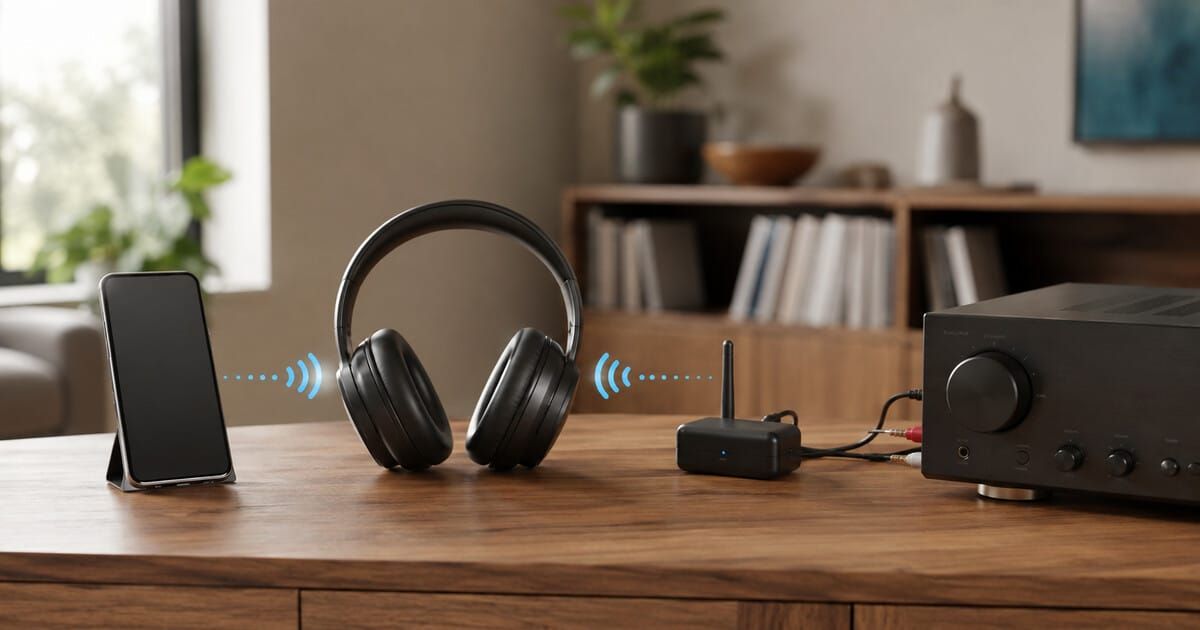
LDAC, aptX or AAC can disappear even when both product boxes mention it. Bluetooth audio uses the best mutually supported path that the two devices can actually negotiate in their current modes—not the longest codec list printed beside either product.
Bluetooth audioCompatibilityTroubleshootingWorldwide guidance
Core codec definition and negotiation rechecked: 14 October 2026
What is a Bluetooth audio codec?
A Bluetooth audio codec is the encoding and decoding method used to carry digital audio between a transmitter and a receiver. LDAC, aptX, AAC and SBC are codec names; the connected devices must support the same codec in their active audio roles.
Android documents this negotiation between the sender and the audio sink. A codec listed on one product is not proof that it is active in your connection.
Start with your symptom: a missing codec calls for checking both endpoints; a codec that disappears during calls calls for checking microphone mode. A USB transmitter is useful only if its audio and microphone capabilities match your use.
The short answer
A phone, computer, television, music player or USB dongle normally acts as the Bluetooth audio source. Headphones, earbuds, a speaker or a Bluetooth DAC normally act as the sink. Some audio products can do both, but often only after you select a dedicated transmit or receive mode.
Android's official Bluetooth documentation describes codec negotiation as the process that selects a codec supported by both the sending device and the remote sink. This is why a phone with LDAC cannot force LDAC into headphones that lack it, and headphones with aptX Adaptive cannot make an unsupported laptop transmit aptX Adaptive.
If the preferred codec is unavailable, the connection may use another common codec, often without an obvious warning. The correct response is to inspect both endpoints and the active mode—not to keep pairing the same two products and hope the badge changes.
Source and sink roles matter more than the Bluetooth version
Bluetooth version numbers describe a broad radio and protocol generation. They do not provide a complete audio-codec list. A product advertised as Bluetooth 5.4 is not automatically an LDAC transmitter, an aptX Lossless receiver or an Auracast device.
The Bluetooth SIG's Advanced Audio Distribution Profile (A2DP) defines the interoperable framework used to distribute high-quality audio over Bluetooth Classic. The source sends the encoded stream; the sink receives and decodes it. Codec support is a separate product capability inside that framework.
FiiO's current products make the distinction easy to see. The BT11 is a dedicated USB Bluetooth transmitter and lists SBC, LDAC and several aptX variants for transmission. The BTR17 is primarily a Bluetooth DAC/headphone amplifier, so its codec list describes reception in Bluetooth mode. Similar-looking codec lists do not mean the products perform the same job.
Why the connection falls back
1. The two codec lists do not overlap
Imagine a television that transmits only SBC and headphones that receive SBC, AAC and LDAC. The common choice is SBC. Sony documents this exact kind of product limitation for some Google TV models: Bluetooth audio output uses SBC even if the connected headphones support LDAC or aptX.
The headphones are not faulty. Their advanced codecs are simply unavailable from that source.
2. One product supports the codec only in the opposite direction
A desktop Bluetooth transceiver may accept LDAC when used as a receiver but offer a different list when transmitting to headphones. Some devices expose different codecs for USB, optical or coaxial inputs. Read the transmit and receive tables separately.
The FiiO BTA30 Pro product profile is a useful example because it explicitly separates receiver, transmitter and DAC modes.
3. A quality or stability setting disables the codec
Sony's LDAC troubleshooting guidance tells users to select Prioritize Sound Quality, check the codec on the playback device and reconnect if the change does not take effect immediately. FiiO likewise notes that a codec change on supported players may require disconnecting and reconnecting.
Adaptive codecs can also lower their data rate as radio conditions change. Qualcomm states that aptX Adaptive adjusts bit rate in response to connection quality. A codec name remaining visible therefore does not guarantee one fixed bit rate throughout a listening session.
4. The app, operating system or driver does not expose the path
Android supports negotiation of additional A2DP codecs, but the phone maker, chipset, build and connected accessory determine what is available in practice. Developer options can help diagnose a connection on many Android devices, but they are not a universal promise that a forced selection will remain active.
Apple states that AirPods and most Beats wireless headphones use Apple's AAC Bluetooth codec and that conventional Bluetooth connections are not lossless. Enabling Lossless Audio in Apple Music does not convert an ordinary Bluetooth link into a lossless one.
Windows behavior depends on the PC's Bluetooth hardware and drivers as well as the headphones. Microsoft says LE Audio requires support at both ends, compatible drivers and Windows 11 version 22H2 or later. If the “Use LE Audio when available” setting is absent, the PC does not currently expose a supported LE Audio path.
5. Calls and microphones change the audio mode
Music playback and two-way headset communication are different jobs. A computer may leave the high-quality stereo playback path when an application opens the microphone. Microsoft documents that stereo audio while using the microphone requires Windows 11 24H2 or later plus integrated LE Audio support, compatible drivers and a compatible headset.
If sound suddenly becomes narrow or low quality when a meeting, game chat or recording app starts, close the app or disable its access to the headset microphone for a test. This is not necessarily an A2DP codec failure.
Classic Audio, LE Audio and Auracast are not interchangeable labels
Bluetooth Classic Audio commonly uses A2DP. Bluetooth LE Audio is a newer architecture built on Bluetooth Low Energy and uses LC3 as its core codec. The Bluetooth SIG also describes Auracast as a broadcast use case enabled by LE Audio.
A product can support ordinary Bluetooth Low Energy for control or setup without supporting LE Audio. It can support LE Audio without exposing every optional feature. It can also support a proprietary high-quality Classic Audio codec without supporting Auracast.
Codec names do not guarantee lossless output
SBC, AAC, LDAC and most aptX operating modes use perceptual compression. Codec capabilities such as 24-bit or 96 kHz describe a supported transport format, not proof that the entire playback chain is lossless or that the source contains meaningful information at that resolution.
Qualcomm describes aptX Lossless as a capability within aptX Adaptive that can deliver 16-bit/44.1 kHz lossless audio under suitable conditions. Its own documentation also says the system scales with link quality. Both endpoints, the platform implementation, the source material and the radio conditions must satisfy the relevant requirements.
Apple's support documentation provides a useful reality check: lossless music can play normally to Bluetooth headphones, but the conventional Bluetooth connection is not itself lossless. The same distinction applies elsewhere. A service badge describes the file or stream before the Bluetooth encoding stage.
For the wider signal-path question, see Bit-Perfect Playback and Resampling Explained.
A repeatable troubleshooting sequence
- Write down the two endpoints. Include the exact phone, PC, player, television, dongle, headphones or receiver model.
- Identify the direction. Mark one device as the source/transmitter and the other as the sink/receiver.
- Check role-specific codec support. Use the current manual or official specification, not a retailer's generic Bluetooth field.
- Find the overlap. The active codec must be supported at both ends in the selected modes.
- Update responsibly. Install current stable firmware, app and Bluetooth drivers where the manufacturer documents the update.
- Disable multipoint for the test. Disconnect other phones, computers or tablets so they cannot reclaim the headphones or change behavior.
- Select the quality mode. Use the source or accessory app only when the manufacturer documents the control.
- Disconnect and reconnect. Several manufacturers require a new session before a codec change becomes active.
- Verify the negotiated codec. Use a receiver display, transmitter LED, official app or operating-system status page when available.
- Test stability before chasing the highest setting. Play a familiar track while moving to the real listening position.
Experience-based recommendation: Photograph the original settings and change one item at a time. A codec test becomes unhelpful if firmware, multipoint, EQ, spatial audio and connection-priority settings all change together.
Symptom-to-cause guide
| Symptom | First check | Do not assume |
|---|---|---|
| LDAC or aptX never appears | Source transmit list and sink receive list | Bluetooth 5.x guarantees the codec |
| Codec falls back after reconnecting | Quality mode, multipoint and saved device settings | The headphones are defective |
| Sound worsens when a call starts | Microphone/headset mode and LE Audio support | The music file changed |
| High-quality mode stutters | Distance, obstructions, interference and adaptive setting | A higher fixed bit rate is always better |
| USB transmitter powers on but sends no audio | USB data support, selected output and transmitter mode | Every USB-C port carries audio |
| Codec selector changes but status does not | Disconnect, reconnect and verify at both ends | The menu selection proves the active codec |
| LE Audio option is missing on Windows | Windows version, integrated hardware and manufacturer drivers | Any Bluetooth LE radio is sufficient |
When a USB Bluetooth transmitter is the right fix
A dedicated USB transmitter can add a codec that the phone, computer, console or television does not natively transmit. It can also provide a visible codec indicator and keep negotiation independent of the host operating system.
It is not automatically compatible with every USB-C socket. The host must send USB audio and supply adequate power. A charging-only port or cable may power the dongle without creating an audio path. Read USB-C Is Not a Feature List before buying an adapter.
Also confirm microphone support. FiiO's BT11 specification lists no microphone function, so it should not be treated as a universal gaming-headset or conferencing adapter. Latency, volume controls, dual-device operation and console support remain model-specific.
Before buying headphones, a dongle or a receiver
- List the exact codecs transmitted by the source—not merely received.
- List the exact codecs received by the headphones, speaker or DAC.
- Check whether the desired codec works with multipoint.
- Check microphone behavior and gaming latency separately from music quality.
- Verify whether the app shows the negotiated codec.
- For Windows, verify the PC's Bluetooth hardware and driver support, not just the operating-system version.
- For USB dongles, verify USB audio output, connector clearance and power.
- Keep a wired USB, optical or analogue fallback where reliability matters.
Use the SoundPath Lab product database to check model-level records and the System Builder to map a complete signal path. For wired alternatives, compare optical, coaxial and USB audio.
What is verified, inferred and experience-based
Verified facts: Bluetooth A2DP defines audio-distribution interoperability; Android documents negotiation of a codec supported by both source and sink; Bluetooth SIG distinguishes Classic Audio from LE Audio and LC3; Sony, FiiO, Apple and Microsoft document the model- or platform-specific restrictions cited above.
Editorial inference: A role-specific codec statement is more useful to a buyer than a Bluetooth version number. A missing codec is most efficiently diagnosed as a two-ended compatibility problem before changing audio-quality settings or replacing hardware.
Experience-based recommendations: Disable multipoint temporarily, reconnect after changing codec settings, test one variable at a time and choose a stable mode over the highest advertised bit rate when the real room produces dropouts.
Applicability, limitations and disclosure
Applies to: Bluetooth music playback between phones, tablets, computers, televisions, portable players, USB transmitters, headphones, earbuds, speakers and Bluetooth DAC/receivers.
Version and regional limits: Android controls vary by device maker and build. Windows LE Audio depends on the Windows release, integrated hardware and manufacturer drivers. Codec licensing, product variants, app availability and firmware can differ by country. Apple lossless exceptions involving proprietary links to particular devices do not change the guidance for conventional Bluetooth accessories.
Not covered: Bluetooth hearing-aid fitting, Auracast venue deployment, laboratory codec measurements, radio-certification testing, hearing protection, professional intercoms or proprietary gaming-radio systems.
Disclosure: SoundPath Lab received no payment or product from the organizations cited. Product examples explain compatibility and are not rankings or endorsements. No affiliate purchasing links are included. The cover is an original AI-generated editorial image of unbranded equipment and is not a test photograph.
Sources
- Bluetooth SIG — Advanced Audio Distribution Profile 1.4: A2DP scope and interoperability framework.
- Android Open Source Project — Bluetooth services: A2DP codec negotiation selects a codec supported by both sender and sink.
- Bluetooth SIG — LE Audio: Classic Audio versus LE Audio, LC3, multi-stream and broadcast audio.
- Qualcomm — aptX technologies and aptX Lossless technical announcement: adaptive behavior and stated lossless conditions.
- Sony — Cannot play audio with the LDAC codec: device support, quality settings and reconnection procedure.
- Apple — About lossless audio in Apple Music: AAC use for listed wireless products and conventional Bluetooth lossless limitation.
- Microsoft — Check Windows 11 LE Audio support and LE Audio quality settings: OS, hardware, driver and microphone requirements.
- FiiO BT11 specifications: transmitter codec matrix, status indicators and microphone limitation.
- FiiO BTA30 Pro troubleshooting: unsupported-codec no-audio behavior and transmit-mode checks.
Core codec definition and negotiation rechecked: 14 October 2026. Bluetooth SIG and Android core guidance were reviewed; this is not a new device test or a complete recheck of every endpoint-specific manual. Recheck the current manuals and firmware notes for both endpoints before purchasing a codec-specific transmitter, receiver or headset.
Continue the research
Move from this article to a verified product decision
Use descriptive links to move between product records, brand evidence, comparisons, setup or issue guidance, and compatible-system tools. Inclusion reflects subject relevance, not a score or endorsement; product facts, recommendation eligibility, and commercial links remain separate.
Product page
Verify the exact model
Brand center
Check the wider platform
Related comparison
Compare the system role
Setup, firmware & problems
Check behavior before buying
System Builder & compatibility