
Arylic LP10 Explained: AirPlay 2, Google Cast, GO CONTROL, and Real-World Limits
A specification-based guide to Arylic LP10: AirPlay 2, Google Cast, Connect services, I/O, multi-room grouping, GO CONTROL, and important limitations.
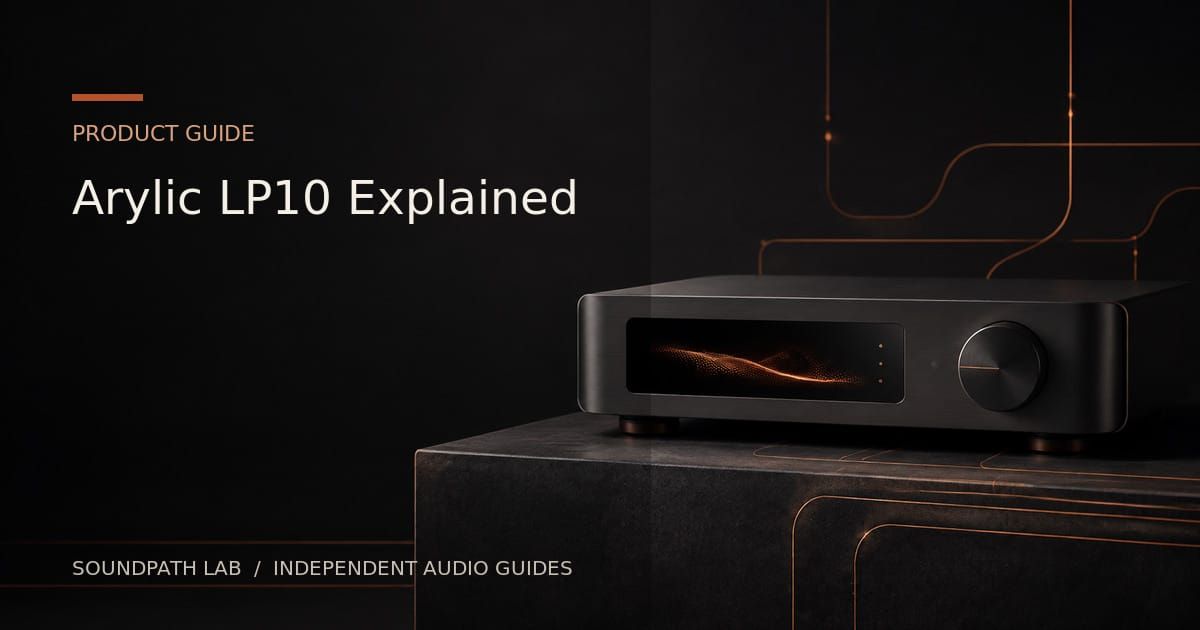
Arylic LP10 is a compact network audio receiver designed to add wireless streaming to an amplifier, receiver, powered speakers, soundbar, or external DAC. Its unusual strength at the price is support for both AirPlay 2 and Google Cast. It also includes analogue input and output, optical output, USB-drive playback, Ethernet, Bluetooth, and USB-C PC audio.
Editorial status: specification-based product guide, not a hands-on review. Arylic’s current product page contains some inconsistent wording, so service and format claims should be verified against current firmware before purchase.
Streaming protocols
Arylic lists AirPlay 2, Google Cast, Spotify Connect, TIDAL Connect, DLNA, and UPnP. The marketing section also advertises Qobuz Connect, while the specification table visible on the same page does not list it. This inconsistency is exactly why protocol support should be checked by firmware version and region rather than copied from a retailer listing.
Google Cast is advertised up to 24-bit/96 kHz. The device also advertises 24-bit/192 kHz decoding, but that maximum does not apply automatically to every protocol or output mode.
AirPlay 2 and Google multi-room
LP10 can join compatible AirPlay 2 or Google Cast speaker groups. These are separate ecosystems: an AirPlay group is not the same as a Google Home group. Grouped playback may use different formats or processing from solo playback.
The LP10 is primarily a receiver. Arylic explicitly states that it cannot take an external source such as a turntable and transmit it to HomePods or arbitrary Google Cast speakers. “Line input” plus “AirPlay 2 support” does not mean the line input becomes an AirPlay transmitter.
GO CONTROL, not 4STREAM
Arylic currently states that LP10 is controlled through the GO CONTROL app and that 4STREAM is unavailable for this model. Buyers familiar with older Arylic products should not assume the same app, grouping workflow, or feature set.
Connections
- 3.5 mm analogue input: for an external line-level source.
- Analogue line output: connects to an amplifier or active speakers.
- Optical output: feeds a DAC, amplifier, receiver, soundbar, or active speaker with digital input.
- USB-A: supports USB-drive playback, with Arylic documenting a 1,000-song or 16 GB limit.
- USB-C: supports PC audio and power functions as documented for the model.
- Ethernet and dual-band Wi-Fi: wired 10/100 Ethernet plus 2.4/5 GHz Wi-Fi.
- Bluetooth 5.0: short-range receiving when network streaming is not appropriate.
Analogue output and EQ
The internal DAC allows direct connection to an amplifier or powered speakers. Arylic states that custom EQ in GO CONTROL applies to the analogue output only. Digital-output users should not assume the same EQ
Firmware and app documentation check — August 31, 2026
Arylic’s official LP10 firmware instructions currently identify LP10 firmware AR241CE_92 4 3/16-0e74fa98. The same support page calls GO CONTROL 2.1.1.501 the latest app version, while Arylic’s official GO CONTROL release notes list version 2.1.4.543 dated May 19, 2026.
Because those two official sources conflict, treat the app build shown on the firmware-help page as stale unless Arylic confirms otherwise. App rollout and firmware availability may still vary by mobile platform and region. Check the device’s own update screen and current app-store listing before troubleshooting or buying.
Official sources: https://www.arylic.com/tools/help/l-series/how-to-update-firmware-on-lp10 | https://www.arylic.com/blogs/go-control-app-release-notesprocessing is available.
Who should buy it
- Mixed Apple and Google households needing both AirPlay 2 and Google Cast.
- Existing stereo systems needing a small, affordable receiver.
- Users who want analogue output plus an optical digital option.
- Simple multi-room systems based on standard AirPlay or Google groups.
Who should look elsewhere
- Users who need HDMI ARC, coaxial output, subwoofer output, or a phono stage.
- Anyone expecting to send a turntable or line input to HomePods.
- Owners who specifically need the older 4STREAM workflow.
- Large local libraries that exceed the documented USB limits.
Bottom line
LP10 is attractive because it brings AirPlay 2 and Google Cast into the same inexpensive receiver. Its limitations are equally important: it is not a universal transmitter, app compatibility differs from older Arylic hardware, USB storage is limited, and service documentation should be checked carefully. Buy it for straightforward receiving and grouping, not for complex source redistribution.
Primary source: Arylic LP10 official product page and specification table, checked August 2026.
Evidence & verification
Evidence basis: Official Arylic LP10 product information and published protocol support, followed by editorial explanation of use cases and limitations. This is not a long-term hands-on reliability test.
Firmware and versions reviewed: LP10 and GO CONTROL capabilities available on August 7, 2026. Exact shipping firmware and app build were not independently captured.
Last checked: August 7, 2026.
Limitations: AirPlay 2, Google Cast, service integrations, multi-room grouping and app behavior can change with firmware, mobile operating system and region. Cross-brand grouping and long-session stability were not exhaustively tested.
Commercial disclosure: No paid placement or sample determined this guide. Retailer and affiliate links, where present, are labeled and do not change editorial conclusions. Full disclosure: https://www.soundpathlab.com/disclosure-funding/
Primary source: https://www.arylic.com/products/lp10-music-streamer
Related reading: https://www.soundpathlab.com/wiim-mini-vs-arylic-lp10/ | https://www.soundpathlab.com/google-cast-audio-explained-casting-speaker-groups-quality-and-common-limits/ | https://www.soundpathlab.com/product-issues-limitations/
Continue the research
Move from this article to a verified product decision
Use descriptive links to move between product records, brand evidence, comparisons, setup or issue guidance, and compatible-system tools. Inclusion reflects subject relevance, not a score or endorsement; product facts, recommendation eligibility, and commercial links remain separate.
Product page
Verify the exact model
Brand center
Check the wider platform
Related comparison
Compare the system role
Setup, firmware & problems
Check behavior before buying
System Builder & compatibility